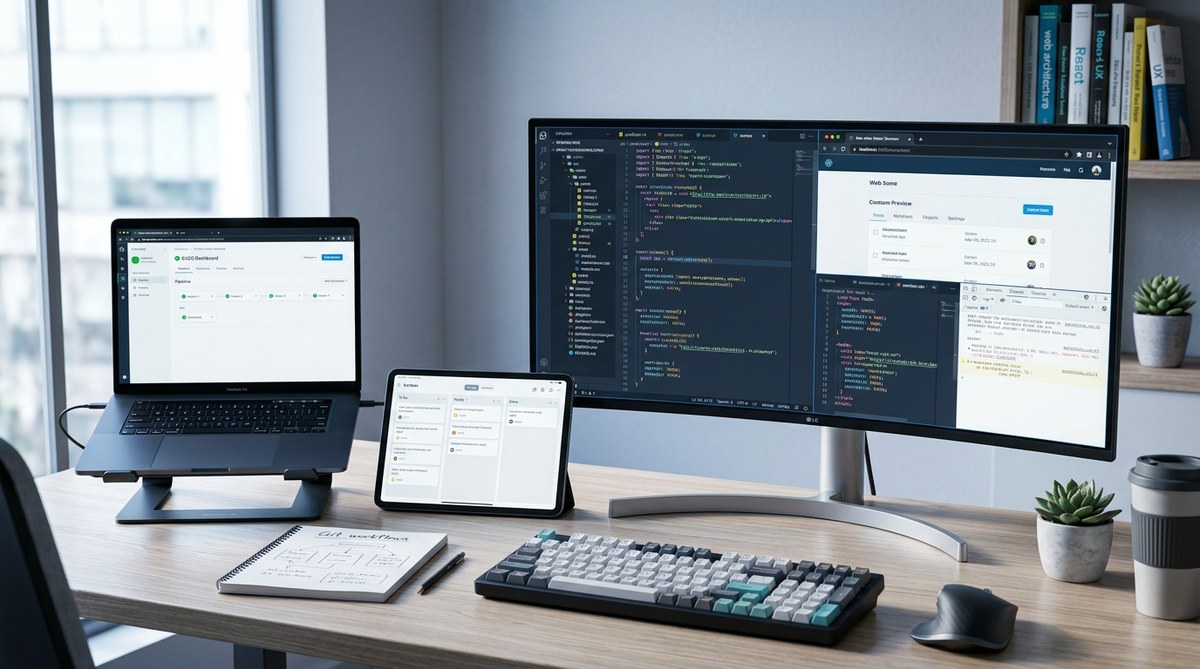
Front-end development is constantly evolving. As web applications become more complex, streamlining your workflow is essential. Using the right tools can save you time, reduce errors, and help you deliver better experiences faster. Whether you’re working solo or part of a team, adopting modern workflow optimization tools can transform how you build, test, and deploy websites. Let’s explore some of the most effective tools to elevate your front-end game.
Optimizing your front-end workflow involves integrating tools that automate repetitive tasks, improve code quality, and accelerate deployment. Modern tools like build systems, linters, and performance analyzers help you write better code faster. The right combination of these tools can lead to smoother collaboration, faster iteration, and ultimately, a more efficient development process that keeps pace with today’s rapid web demands.
Why workflow optimization matters in front-end development
In the fast-paced world of web development, efficiency is king. Manual tasks like bundling files, minifying code, or checking for errors take valuable time. Without automation, these tasks can become bottlenecks. Optimized workflows reduce friction and increase consistency. They also enable rapid feedback, so issues are caught early. This results in cleaner code, faster builds, and quicker releases.
Modern front-end workflows are built around tools that automate, analyze, and streamline every step of the process. These tools help you focus on what truly matters—writing great code and delivering exceptional user experiences.
Top tools to boost your front-end workflow
Here are some of the most effective front-end workflow optimization tools. Incorporating these into your setup can make a significant difference.
1. Build systems and bundlers
Build tools automate the process of compiling, bundling, and optimizing your code. They are the backbone of any modern workflow.
- Webpack: A powerful and flexible module bundler. It allows you to bundle JavaScript, CSS, images, and more into optimized assets. Its extensive plugin ecosystem makes it adaptable to various project needs.
- Rollup: Focused on bundling JavaScript libraries, it produces smaller, more efficient bundles by tree-shaking unused code.
- Parcel: Zero-configuration bundler that’s great for quick setups. It automatically detects dependencies and optimizes your assets.
2. Code linters and formatters
Maintaining consistent, error-free code is easier with automated tools.
- ESLint: Checks JavaScript code for common errors and enforces style rules. It integrates well with editors and CI pipelines.
- Prettier: Automatically formats code according to a predefined style, reducing debates over styling and making code reviews smoother.
3. Task runners and automation
Automate repetitive tasks like testing, linting, and deploying.
- Gulp: A streaming task runner that simplifies automation. You can set up tasks for compiling Sass, minifying files, or running tests.
- NPM scripts: Sometimes, simple scripts in your package.json file are enough to automate workflows without extra tools.
4. Testing and quality assurance tools
Ensure your code works as intended before deployment.
- Jest: A delightful JavaScript testing framework. It’s fast, easy to set up, and great for unit and integration tests.
- Cypress: Focused on end-to-end testing, it allows you to simulate real user interactions for thorough testing of your app.
5. Performance analysis and optimization
Identify bottlenecks and optimize performance.
- Lighthouse: An automated tool by Google that audits your website for performance, accessibility, best practices, and SEO.
- WebPageTest: Provides deep insights into load times and rendering performance across devices and networks.
Practical processes for workflow optimization
To get the most out of these tools, follow a clear process:
- Set up your build system: Choose a bundler like Webpack or Rollup. Configure it to handle your assets efficiently. Automate tasks like transpiling JavaScript or compiling Sass.
- Integrate code quality tools: Add ESLint and Prettier into your development environment. Set up pre-commit hooks with tools like Husky to run checks automatically.
- Automate testing: Incorporate Jest and Cypress into your CI pipeline. Run tests on every commit or pull request to ensure code integrity.
- Analyze and optimize performance: Regularly run audits with Lighthouse. Use insights to optimize images, reduce render-blocking resources, and improve load times.
- Continuously refine: As your project evolves, adjust your workflows. Keep tools up to date and adopt new ones that can improve efficiency.
Common pitfalls to avoid
| Mistake | Why it harms workflow | How to fix it |
|---|---|---|
| Overloading your build process | Slower builds and developer frustration | Optimize configuration, split large bundles, and cache build artifacts |
| Ignoring code quality checks | Increased bugs and inconsistent code | Enforce linting and formatting at pre-commit stage |
| Skipping performance audits | Unnoticed slowdowns | Make audits part of your regular development routine |
| Manual repetitive tasks | Wastes time and introduces errors | Automate with scripts and task runners |
“Automating your front-end workflow is not just about saving time. It’s about creating a reliable, maintainable process that scales with your project.” — Front-end expert Jane Doe
How to integrate these tools into your daily work
Start small. Pick a bundler like Parcel for quick wins. Add ESLint to catch errors early. Automate testing with Jest. Then, gradually incorporate performance audits. Over time, you’ll build a robust pipeline that keeps your code clean, fast, and reliable.
Use editor integrations to get real-time feedback on linting and formatting. Set up continuous integration to run tests and audits automatically on each pull request. This reduces errors slipping into production and keeps your team aligned.
Wrapping up your front-end workflow upgrade
Optimizing your front-end workflow with the right tools unlocks faster development cycles and higher quality code. It reduces manual toil and helps you catch issues early. The key is adopting a combination of build automation, code quality checks, testing, and performance analysis.
Implementing these tools might seem overwhelming at first. Take it step by step. Experiment with different options and find what suits your project best. Remember, a smoother workflow translates directly into better products and happier teams.
A final note on continuous improvement
Workflow optimization is an ongoing process. Technologies evolve, and so should your setup. Stay curious. Keep exploring new tools and techniques. Regularly review your processes and refine them. The effort pays off in faster releases, fewer bugs, and a more enjoyable development experience. Start today by evaluating your current workflow and identifying areas where automation and modern tools can make a difference.
Happy coding!