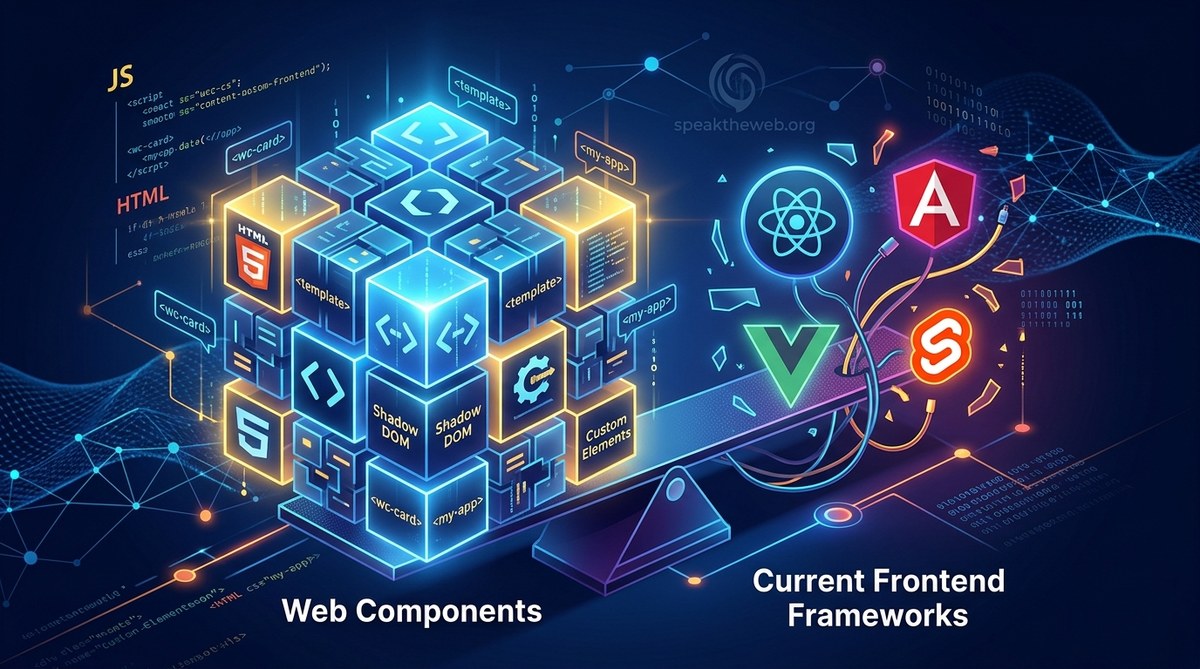
The question has been floating around frontend circles for years. Can web components finally replace the heavy frameworks we have all grown used to? In 2026, the answer is not a simple yes or no. It depends on what you are building, who is building it, and how long you need it to last. Web components have matured a lot. Browsers now support Custom Elements, Shadow DOM, and HTML Templates across the board. But frameworks like React, Vue, and Angular still offer developer experience features that web components do not have out of the box. This article breaks down the tradeoffs so you can decide for yourself.
Web components offer native browser-based component models without framework lock-in, making them great for design systems and long-lived projects. But they lack built-in state management, reactivity, and routing that frameworks provide. The smartest approach in 2026 is a hybrid: use web components for reusable UI elements and frameworks for complex application logic and data flow. This strategy reduces bundle size, improves performance, and keeps your team productive while avoiding vendor lock-in and future-proofing your codebase.
The State of Frontend in 2026
The frontend ecosystem in 2026 is more diverse than ever. React still holds a massive share of the market, but alternatives like Solid, Svelte, and Qwik have gained serious traction. Meanwhile, web components have quietly become a standard part of the browser platform. Every major browser now supports the Custom Elements API and Shadow DOM without polyfills. That means you can write a custom element today and it will work in any framework, anywhere.
This shift matters because it changes the risk equation. When you pick a framework, you are betting on its community and maintainers to keep it alive. Web components are a bet on the browser itself. That is a very different kind of bet. If you want to understand the broader landscape, check out the top trends in front-end frameworks for 2026. It gives context on where the industry is heading.
What Web Components Actually Do Well
Web components shine in areas where framework independence matters. Design systems are the classic example. If your team maintains a UI library that needs to work across React, Angular, and vanilla JavaScript projects, web components are the natural choice. You write the component once using native browser APIs, and it works everywhere. No adapter layers, no wrapper components, no extra maintenance burden.
Another strong use case is micro-frontends. When different teams own different parts of a page, web components act as a shared contract. Each team can use whatever framework they prefer internally, as long as they export standard custom elements. This pattern reduces integration headaches and lets teams move at their own pace. For more on this approach, read about are micro-frontends right for your next project.
Web components also excel at longevity. If you are building a product that needs to last ten years, a framework-dependent codebase is a liability. Frameworks change, break, and get deprecated. Web components, being native, keep working as long as browsers support the standards. That is a powerful advantage for government sites, healthcare platforms, and other long-lived systems.
Where Traditional Frameworks Still Shine
For all their strengths, web components leave some gaps that frameworks fill naturally. The biggest one is reactive state management. In React, you use hooks and context. In Vue, you have reactive data objects. In Angular, you get signals and services. These tools make it easy to keep your UI in sync with your data. Web components give you observedAttributes and connectedCallback, but you have to build everything else yourself.
Ecosystem and Developer Experience
Frameworks also come with rich ecosystems. Need routing? React Router, Vue Router, and Angular Router have you covered. Need form validation? There are mature libraries for that. Need server-side rendering? Next.js, Nuxt, and Analog are battle-tested. Web components have growing support in these areas, but the tooling is not as polished yet. You can make it work, but you will spend more time assembling your own stack.
Developer experience is another factor. Frameworks provide hot module replacement, error overlays, and dev tools that make debugging fast. Web components work fine in modern dev environments, but you lose some of the framework-specific tooling that speeds up iteration. If your team values rapid prototyping, a framework still feels smoother.
State Management and Data Flow
State management is the area where the gap is widest. Web components do not have a built-in reactivity system. You need to manually observe attribute changes, dispatch custom events, and manage shared state with external libraries like Lit or a lightweight store. Frameworks handle this out of the box. For complex applications with lots of moving pieces, that built-in reactivity saves hundreds of lines of code.
Here is a comparison table that breaks down the key differences:
| Feature | Web Components | Frameworks (React, Vue, Angular) |
|---|---|---|
| Browser support | Native, no polyfills needed in 2026 | Requires framework runtime |
| State management | Manual via attributes and events | Built-in reactivity and stores |
| Routing | No built-in solution | Mature routers available |
| Server-side rendering | Limited, improving | Mature (Next.js, Nuxt, Analog) |
| Developer tooling | Standard browser tools | Framework-specific devtools |
| Design system reuse | Works across all frameworks | Framework-specific wrappers needed |
| Bundle size | Small, no framework runtime | Larger due to runtime overhead |
| Learning curve | Lower for basic cases | Higher, requires learning abstractions |
A Practical Decision Framework for Your Next Project
When you are deciding between web components and a framework, follow these steps:
-
Audit your requirements. Write down the features your app needs: routing, state management, SSR, form handling, animations. If you need most of them, a framework saves time. If you only need reusable UI, web components are lighter.
-
Check your team’s existing skills. If your team knows React inside out, switching to web components will slow them down at first. If they are already comfortable with vanilla JavaScript and browser APIs, web components will feel natural.
-
Evaluate your timeline. For a prototype or MVP that needs to ship in weeks, a framework with a rich ecosystem is faster. For a platform that will be maintained for years, web components reduce technical debt.
-
Test the integration path. Try building one small feature with web components inside your current framework. See how events and data flow work across the boundary. That hands-on test will reveal friction points before you commit.
-
Consider a hybrid approach. This is the most common successful pattern in 2026. Use web components for your design system and shared UI elements. Use a framework for pages, routing, and complex stateful logic. This gives you the best of both worlds.
Common Myths About Web Components
There are a few misconceptions that keep teams from trying web components. Let me clear them up.
-
Myth: Web components are not accessible. This is false. You can build fully accessible custom elements using ARIA attributes, focus management, and semantic HTML inside your Shadow DOM. The same accessibility rules that apply to frameworks apply here. For a deeper look, read how to build accessible web components that everyone can use.
-
Myth: Web components are slow. This comes from early implementations that had performance issues. Modern browsers optimize custom elements well. In many cases, web components are faster than framework components because there is no virtual DOM diffing overhead.
-
Myth: Web components do not work with frameworks. This used to be true, but framework support has improved dramatically in 2026. React, Vue, and Angular all handle custom elements smoothly. You can drop a web component into any framework and it just works.
-
Myth: You need a library to use web components. You can write plain custom elements with zero dependencies. Libraries like Lit make the experience nicer, but they are optional. The standards are complete enough to use on their own.
“The teams that succeed with web components are the ones that treat them as a strategic choice, not a religious one. They do not try to replace everything. They use web components for the parts of their system that benefit from stability and reuse, and they lean on frameworks for the parts that need speed and rich interactivity.” — Senior frontend architect at a large e-commerce company
Making the Right Call for Your Team
No single tool wins every category. The decision between web components and frontend frameworks comes down to your specific constraints. If you are building a design system that needs to outlast any single framework, web components are the clear winner. If you are shipping a complex app with tight deadlines, a framework with a mature ecosystem will serve you better.
The good news is that you do not have to pick one forever. Many teams in 2026 run both side by side. They use web components for their shared UI library and a framework for the application layer. That hybrid approach gives you the stability of native standards and the productivity of modern tooling. It is a practical compromise that works well in production.
If you want to see how far web components have come, check out why web components are finally ready for production in 2026. And if you are looking for guidance on building your first custom element, unlocking the power of web components for modern frontend development is a great next read.
Moving Forward Without Overthinking It
The best way to figure out if web components can replace your current framework is to try them on a real task. Pick a small, self-contained piece of your UI. Rewrite it as a custom element. Drop it into your existing app. See how it feels. That hands-on experiment will tell you more than any article or benchmark ever could.
The frontend world in 2026 is full of options. You can build great products with any of them. Web components are not a silver bullet, but they are a solid tool that deserves a spot in your toolkit. Start small, test honestly, and let your experience guide the way forward.