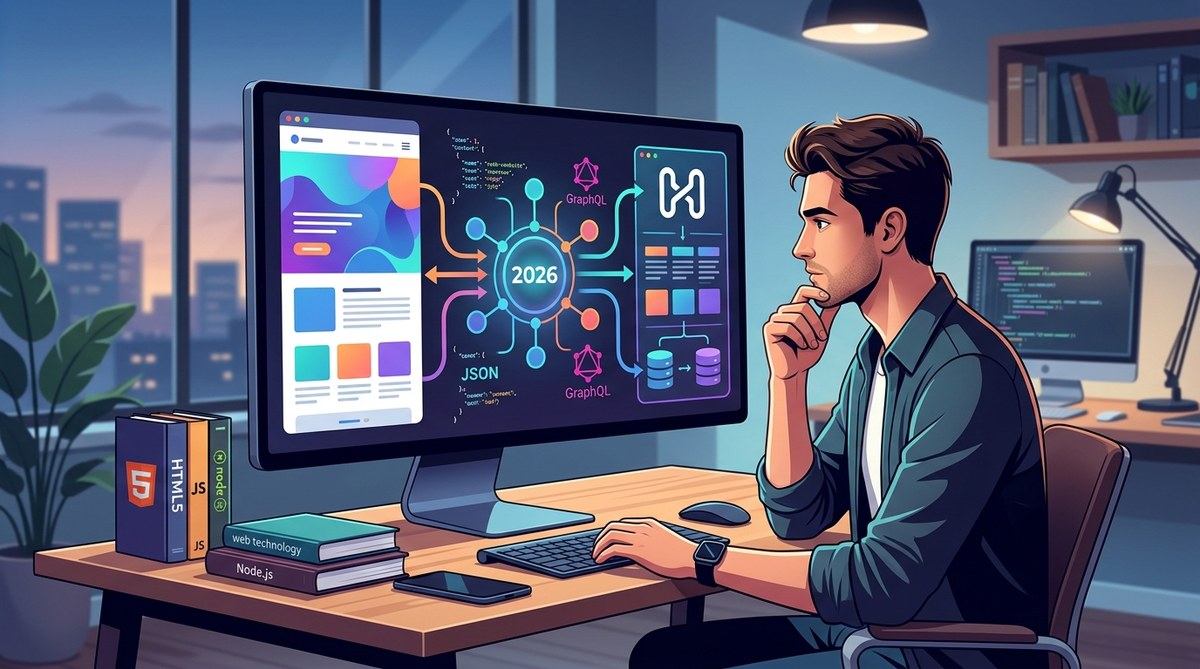
You are evaluating a new content management architecture for your next project. Maybe you are tired of fighting with a monolithic system. Perhaps a client wants their blog content to also feed a mobile app. Or you have heard the hype around headless and want to know if it is actually worth the extra complexity in 2026.
Let me save you some time. Headless CMS platforms are powerful, but they are not a universal upgrade. The decision depends on your team, your content workflows, and your long-term delivery goals. I have worked with both traditional and headless setups for years, and I want to give you the honest, practical breakdown you need before you commit to a migration or a new build.
A headless CMS is not a magic fix. It gives you freedom on the frontend and strong API delivery, but it adds operational overhead. You need dedicated frontend work, a solid preview solution, and a team that can handle two separate systems. For multi-channel content and custom experiences, it is often the right call in 2026.
What Has Changed for Headless CMS in 2026
The headless CMS market has matured significantly. A few years ago, you had to choose between a handful of API-first startups and building your own solution. Now the landscape is crowded with mature platforms, open-source options, and even traditional CMS giants offering headless modes.
The biggest shift in 2026 is the expectation of a hybrid workflow. Content editors do not want to lose the visual editing experience they had in WordPress or Drupal. Modern headless platforms like Sanity and Storyblok now offer live previews, visual editors, and component-based layouts. The old criticism of “your editors will hate it” is fading fast.
Another major change is the rise of edge computing and CDN-level personalization. With tools like Edge Functions and serverless rendering, you can now deliver personalized content without a heavy backend. This makes the headless promise of performance and flexibility even more attractive.
The Real Pros of Going Headless in 2026
Let us look at the genuine advantages you can expect today.
True Frontend Freedom
You are not locked into a specific templating language or framework. Want to build your public site with React, your admin dashboard with Vue, and your mobile app with Flutter? One headless CMS can serve all of them. This is the single biggest reason teams make the switch.
Superior Performance for Content-Heavy Sites
Because the content layer is decoupled, you can serve static assets from a CDN while the API handles dynamic data. This setup makes it easier to optimize your front-end workflow with cutting-edge tools. You can also cache API responses aggressively without worrying about breaking the admin interface.
Better Multi-Channel Content Management
If you need to publish the same product description to your website, your mobile app, and a smart display, headless is the way to go. You write the content once and pull it via API wherever you need it. This consistency is a lifesaver for larger teams.
Future-Proof Architecture
Your frontend stack will change. It always does. A headless CMS keeps your content separate, so you can swap out your frontend framework without a painful migration. This is especially valuable if you are exploring the future of webassembly in modern web development or experimenting with new rendering methods.
The Honest Cons You Cannot Ignore
Here is where many developers get frustrated. The hype often overlooks these real costs.
Increased Operational Complexity
You now have two systems to maintain: the CMS backend and the frontend application. Deployment pipelines become more complex. You need to manage API keys, rate limits, and content synchronization. For a small team, this overhead can slow you down more than a traditional CMS would.
The Preview Problem
Editors want to see their changes before publishing. In a traditional CMS, that is a simple draft preview. In a headless setup, you need to build a preview environment that mirrors your production frontend. This is doable, but it requires engineering time. Some platforms now offer built-in previews, but they are not universal.
Higher Initial Development Cost
Building a headless frontend from scratch takes longer than tweaking a theme. You need to handle routing, SEO metadata, structured data, and URL management yourself. If you are on a tight deadline, this extra work can be a dealbreaker.
Content Modeling Requires Discipline
A headless CMS does not hold your hand. You must define your content types, relationships, and fields carefully before building the frontend. If you get the schema wrong early on, changing it later can be painful. This is very different from the flexible, “just add a field” approach of traditional systems.
A Practical Decision Framework
When should you choose headless? Use this numbered list to evaluate your project.
-
Count your delivery channels. If you need content on a website plus one or more native apps or third-party integrations, headless is likely a good fit. If you only have a website, a traditional CMS may be simpler.
-
Assess your frontend team. Do you have dedicated frontend developers who can build and maintain a custom experience? If your team is small or generalist, the overhead of a headless setup might slow you down.
-
Check your content editor workflows. Talk to the people who will actually use the CMS. Do they need visual inline editing? Do they rely on WYSIWYG fields? Modern headless platforms have improved here, but some editors still prefer the simplicity of a monolithic interface.
-
Plan your preview strategy. Before you commit, decide how editors will preview content. Will you use a staging site, a live preview API, or a dedicated preview frontend? This decision affects your development timeline.
-
Run a small pilot project. Do not migrate your entire site at once. Pick a single content section, like a blog or a knowledge base, and build it on a headless CMS first. This gives you real data on development time, editor satisfaction, and performance.
Headless vs. Traditional: A Side-by-Side Comparison
| Factor | Headless CMS | Traditional CMS |
|---|---|---|
| Frontend flexibility | Full control, any framework | Limited to CMS templates |
| Editor experience | Improving, but often requires custom work | Mature, built-in WYSIWYG |
| Performance | Excellent with CDN and static generation | Good, but can be slower under load |
| Development speed | Slower initial setup | Faster for simple sites |
| Multi-channel support | Native, built for APIs | Possible via plugins, often clunky |
| Maintenance overhead | Two systems to manage | Single system |
| Cost | Higher for development, variable for hosting | Lower upfront, can scale in cost |
Common Mistakes Teams Make When Migrating
I have seen teams struggle with these issues repeatedly. Avoid them if you can.
-
Copying the old content model exactly. A headless CMS is a chance to rethink your content structure. Do not just recreate your old WordPress database schema. Think about relationships, reuse, and future channels.
-
Forgetting about SEO. Your frontend is now responsible for meta tags, canonical URLs, structured data, and sitemaps. Do not assume the CMS will handle these automatically. Plan your SEO implementation from day one.
-
Skipping the content freeze. During migration, you need a period where no one publishes new content. If you try to migrate live data, you will end up with broken references and missing images. Communicate this timeline clearly to your stakeholders.
-
Ignoring the content editors. If your editors cannot figure out how to add a new page, they will find ways to work around the system. Involve them early in the selection process and budget time for training.
“A headless CMS is a technical decision that has massive human consequences. The best platform in the world is useless if your content team cannot use it effectively. Always test the editor experience with real users before you sign a contract.” – Senior Content Strategist at a mid-size SaaS company
How to Evaluate a Headless CMS for Your Team
When you start evaluating specific platforms, use this bulleted list of criteria.
- API quality. Is it GraphQL, REST, or both? How are rate limits enforced? Can you query related content efficiently?
- Content modeling flexibility. Can you define custom fields, validation rules, and relationships? Is the schema versioned?
- Editor interface. Does it offer a visual editor, a block editor, or plain text fields? Can editors preview content easily?
- Localization support. If you need multiple languages, check how translations are managed. Some platforms handle this beautifully, others treat it as an afterthought.
- Extensibility. Can you add webhooks, custom UI extensions, or server-side logic? A closed platform can become a bottleneck.
- Pricing model. Headless CMS pricing varies wildly. Some charge per API call, others per user, and others per content entry. Calculate your expected costs based on real traffic and content volume.
If you are looking to broaden your frontend skills alongside this decision, you might find it useful to master modern frontend frameworks for faster web development. The same skills that make you productive in a headless setup translate directly to modern frontend engineering.
The Verdict for 2026
Headless CMS is not a fad. It is a legitimate architectural choice that solves real problems for teams that need flexibility, performance, and multi-channel delivery. However, it is not the right choice for every project.
If you are building a content-heavy marketing site with a small team and a single delivery channel, a traditional CMS like WordPress or Drupal will get you there faster and cheaper. If you are building a product that needs to serve content to a web app, a mobile app, and an IoT dashboard, headless is almost certainly the better path.
The worst decision you can make is choosing headless because it sounds modern. The best decision is choosing headless because you have validated that your team, your editors, and your content workflows are ready for it.
Making Your Decision Concrete
Take these three steps before you finalize your choice.
-
Map your content model on paper. Draw out your content types, their fields, and their relationships. If this feels natural, headless will suit you. If it feels forced, a traditional CMS may be a better fit.
-
Build a single-page prototype. Use a free tier of a headless CMS like Strapi or Sanity to serve content to a simple React or Next.js page. Time yourself. This will reveal the real development cost for your team.
-
Interview your content editors. Ask them what they love and hate about their current CMS. If their biggest complaint is the templating system, headless might help. If their biggest complaint is the editing interface itself, headless could make things worse.
The Final Word on Headless CMS in 2026
The headless CMS ecosystem has grown up. The tools are better, the editor experiences are richer, and the performance benefits are real. But the fundamental tradeoff remains the same: you trade simplicity and speed of setup for flexibility and control.
If you are a technical decision-maker, your job is to match the architecture to the team, not to the trend. A headless CMS is a powerful tool in the right hands. Make sure your team is ready to wield it before you commit to the switch.