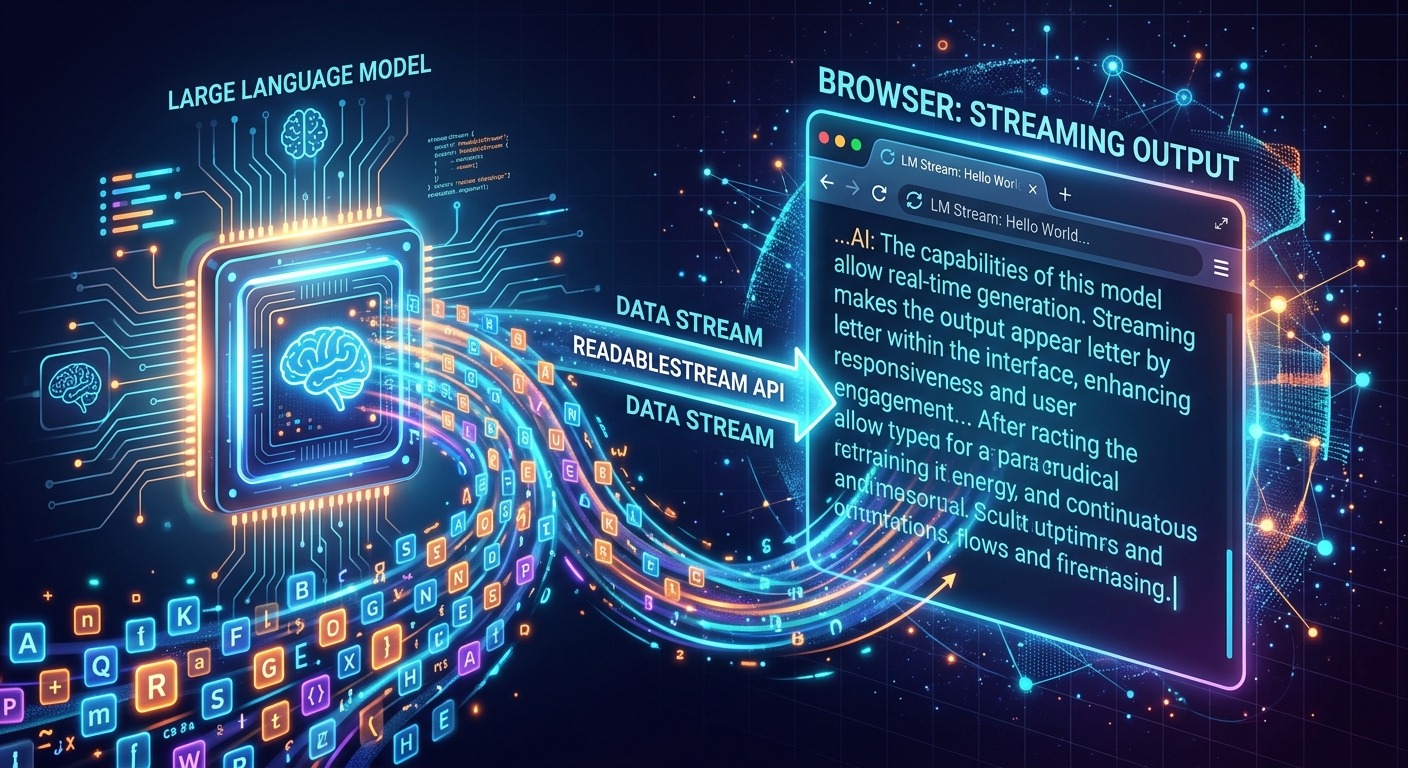
Waiting for a language model to finish thinking before a single word appears on screen is the fastest way to make an AI interface feel broken. Users expect progress feedback immediately, and AI generation is no different. The good news is that browsers have had the right tools for years. Pairing the Fetch API with ReadableStream and TextDecoderStream lets you pipe tokens directly from the model to the DOM as they arrive, with no server-side proxy sitting in the middle. This article walks through every step of that pipeline, from the initial request all the way to clean cancellation.
Streaming LLM responses in the browser is a production-ready pattern. No proxy required, as long as you handle CORS, backpressure, and cancellation correctly from the start.
- ReadableStream paired with TextDecoderStream is all you need to consume a streaming model response natively, with no third-party libraries involved.
- Backpressure is handled automatically when you drive the stream with a reader loop rather than attaching event listeners to incoming data.
- AbortController gives users a clean, standards-compliant way to stop generation mid-stream without leaving dangling connections or broken UI state.
Why Streaming AI Output Changes the Feel of Your Interface
A typical model response to a complex prompt can take anywhere from two to fifteen seconds to complete. If your UI renders nothing until the final token arrives, users interpret that silence as latency, and they act on it. They refresh. They click again. They abandon the task. The interface feels slow even when the underlying model is performing exactly as fast as it can.
When tokens appear word by word, even a ten-second response feels fast. The cognitive shift is real. Users go from waiting for a machine to watching a mind work. That is not a trick. The total time to completion is identical. The difference is entirely in how the browser surfaces the data, and that is entirely within your control as a front-end engineer.
Teams shipping AI features are increasingly treating streaming as a baseline requirement. Users who have experienced token-by-token output from any modern AI product will notice its absence immediately in yours. This pattern is now table stakes, not a polish feature.
The Browser Primitives Behind the Pattern
The WHATWG streams specification defines how byte data flows through a chain of readers and transformers in the browser. A ReadableStream is a source that produces chunks of data on demand. A TransformStream sits between a source and a destination, converting chunks from one form to another. These types compose into pipelines that carry data from raw network bytes to rendered text with minimal overhead and no polling.
When fetch() resolves, the response body is already a ReadableStream<Uint8Array>. Raw bytes are not useful for rendering, so TextDecoderStream acts as a transform that decodes each UTF-8 chunk into a JavaScript string. Piping the response body through that transform gives you a ReadableStream<string> that you read chunk by chunk as the model generates each piece of output.
This is the complete primitive stack. Libraries like the official Anthropic SDK or LangChain use the same mechanism under the hood. They add convenience abstractions on top, but nothing they do is fundamentally different from what you can write yourself in about thirty lines of vanilla code.
Server-Sent Events vs. Raw ReadableStream
Many model APIs, including Anthropic’s, format their streaming output as server-sent events. Each chunk is a line prefixed with data:, followed by a JSON payload. The browser has a native EventSource API built for exactly this format, and it is simple to use. The catch is that EventSource only supports GET requests. It cannot send a request body, and it does not accept custom headers beyond what a standard GET allows. That rules it out for every model API that requires a POST body and an authorization header, which is all of them.
Fetch with a ReadableStream reader covers the full range of cases. You handle the SSE framing yourself with a small accumulator, and you get complete control over the request, including the method, headers, body, and cancellation signal.
Building the Streaming Pipeline Step by Step
Before writing any code, mapping out the exact sequence of operations makes the implementation straightforward to read and debug later. Here is the full order of operations for a correct streaming fetch:
- Create an
AbortControllerand store a reference to itssignalproperty. - Call
fetch()with your request options, passing thesignalso the request can be cancelled on demand. - Check
response.okbefore touching the body. Afalsevalue means you have an error response. Read its body, parse it, and throw a typed error before entering any reader loop. - Pipe the response body through
new TextDecoderStream()to convert the byte stream into a string stream:response.body.pipeThrough(new TextDecoderStream()). - Call
.getReader()on the piped stream to obtain aReadableStreamDefaultReader<string>. - Enter a
while (true)loop. On each iteration, callawait reader.read()and destructure the result into{ done, value }. - When
doneistrue, break the loop immediately and callreader.releaseLock()in your finally block. - When
doneisfalse, parse thevaluestring. Strip thedata:prefix if needed, parse JSON, extract the text delta, and append it to your UI state.
Each step maps to one distinct concern. There are no hidden behaviors to reason about. The loop is synchronous in structure but asynchronous in execution. The await reader.read() call pauses until the next chunk arrives from the network, so the main thread is never blocked between chunks.
Understanding Backpressure and Why It Matters Here
Backpressure is the mechanism that prevents a fast producer from overwhelming a slow consumer. In a streaming response, the server is the producer and your JavaScript is the consumer. If your rendering function cannot keep pace with arriving chunks, backpressure tells the network layer to slow down delivery. This keeps memory usage bounded and prevents queue buildup that could cause dropped data.
The reader loop pattern handles this correctly by design. You only call reader.read() after you have finished processing the previous chunk. The stream’s internal queue does not grow unbounded because you are draining it at the rate you consume it. The browser can throttle the TCP receive window if the queue backs up upstream. In practice, text token delivery from a language model is far slower than JavaScript can parse, so backpressure rarely becomes visible. Building code that respects it means your implementation will remain correct even if that assumption no longer holds.
The older pattern of attaching a pipeTo chain with writable sinks does not give you this natural pacing in the same explicit way. The reader loop is simpler to reason about and gives you a clear place to insert any per-chunk processing logic, whether that is parsing, filtering, batching, or state updates.
Wiring Up AbortController for Clean Cancellation
Language models are verbose. Users regularly want to stop a response mid-stream, whether because the model is heading in the wrong direction or because they have already read enough. An AbortController gives you a standards-compliant way to cancel without leaving the underlying TCP connection open or forcing your UI into an error state.
The setup is minimal. You create a controller before calling fetch, attach its signal to the request options, and hold a reference somewhere your stop button can reach it. A React ref or a Svelte store works well for this. When the user clicks stop, you call controller.abort(). The browser cancels the network request, and the next await reader.read() in your loop throws an AbortError. You catch that specific error type and treat it as a user-initiated stop rather than a failure condition.
Always create a fresh controller for each new generation request. A controller whose abort() method has already been called is permanently cancelled. Reusing it will cancel the next request immediately on creation. Keep the controller creation inside whatever function you call to start a generation, and you will never hit that bug.
Place reader.releaseLock() in a finally block so it runs regardless of how the loop exits, whether through a normal end-of-stream, a user abort, or an unexpected network failure. A locked stream that is never released will cause silent failures if the same response body is accessed again.
Connecting to Claude Sonnet 4 as the Concrete API Target
Theory only carries you so far. Pointing all of these primitives at a real model API makes each concept concrete. Claude Sonnet 4 streams its output as server-sent events, with each event line carrying a JSON payload. The payload contains one of several event types: a content delta with a text fragment, a stop reason marking the end of generation, or metadata about token usage. Your parser needs to handle each type correctly.
The request is a standard POST to the messages endpoint. You include "stream": true in the JSON body, add your API key as an x-api-key header, and set the anthropic-version header to the current API version string. The response body then becomes your byte stream, ready to pipe through TextDecoderStream.
A nuance worth knowing: each call to reader.read() may return one complete SSE line, multiple lines, or a partial line, depending on how the network delivers TCP segments. You need a small accumulator string that holds incomplete line fragments between read calls. Each time a chunk arrives, append it to the accumulator, split on newline characters, process every complete line, and put any trailing incomplete fragment back into the accumulator for the next iteration. Splitting on newlines, checking for the data: prefix, and skipping empty lines and the [DONE] terminator covers the full SSE framing protocol.
The result is a render loop that appends text to your component state on every parsed event, giving users the token-by-token appearance they expect from a modern AI interface, all without a relay server consuming resources and adding a hop of latency.
When the Stream Closes: Handling the Full Range of Endings
Happy-path streaming code is straightforward. The cases that catch production apps off guard are the ones where the stream ends unexpectedly, the server returns a non-200 status before any body arrives, or the network drops after partial delivery.
Checking response.ok before entering the reader loop catches HTTP-level failures cleanly. A 429 rate-limit response and a 529 overload response both arrive as complete HTTP responses with JSON error bodies. They never enter the streaming path at all. Read their body, parse the error code, and surface a useful message to the user.
Mid-stream failures are harder because the HTTP 200 status has already been sent by the time the server encounters an internal error. A well-designed streaming API signals these through a specific error event type in the stream itself. Checking each parsed event’s type field and throwing immediately on an error type keeps your error handling path consistent with your abort handling path.
Partial delivery after a network drop surfaces as the stream going silent before a stop reason arrives. Track whether generation finished normally by flipping a boolean only when you receive the expected stop reason event. If your finally block runs and that boolean is still false, you know the stream was cut short. Show a truncation indicator rather than presenting incomplete output as complete.
From the First Byte to the Last Character on Screen
Every token a language model generates travels a specific path before it appears in a browser. It starts as a prediction from the model, gets serialized as a JSON delta on the server, gets written into the HTTP response body as an SSE-formatted line, crosses the network as a series of TCP segments, gets reassembled by the browser’s network stack, arrives in your fetch handler as a Uint8Array chunk, gets decoded into a string by TextDecoderStream, gets parsed out of its SSE envelope by your accumulator function, and finally gets written into your component’s text buffer where the DOM renders it.
That path sounds long. In real terms, the latency between a token being generated and appearing on screen is under ten milliseconds when both ends are healthy. The browser’s streaming infrastructure was purpose-built for this kind of incremental delivery. The ReadableStream API exists precisely because use cases like this were too awkward to express with the older response body APIs.
Shipping this correctly in a production app requires understanding each hop in that path, not just the JavaScript parsing layer. Knowing what each layer does, and where it can fail, gives you the mental model to debug quickly when something goes wrong. That is the real payoff of building the pattern yourself before reaching for an abstraction that hides the details. Once you have built it once, you will recognize the same shape in every streaming AI integration you touch, and you will know exactly which layer to look at when the tokens stop appearing.